Legacy: pass a vault on
A Legacy Vault lets the people you trust open a read-only copy of one vault together, with printed Legacy Cards. How it works, and what it doesn't do yet.
A Legacy Vault is a vault that the people you choose can open together, with printed Legacy Cards, so your family isn’t locked out of what matters if you can’t open it for them. Unless you choose a set of just 1 card, no single card opens anything, and nobody at Bunker can open it either.
How the cards work
When you make a vault a Legacy Vault, you choose up to 5 trusted contacts and decide how many of them must come together. The default is any 2 of 3: Sarah might give cards to Emma Clarke, Olivia Bennett and James Miller, her family lawyer, so that any 2 of them can open her “Family Papers” vault. Choose more than one, so nobody can open it alone, but fewer than all, in case someone can’t be reached.
Each card is a single printed page with a QR code and 33 numbered words. When enough cards are scanned or typed into Bunker on one device, those contacts get a read-only copy of that one vault, which they can view, export and save. Your other vaults are never included and never revealed. Bunker suggests writing a letter to your trusted contacts inside the vault, saying what’s there and who should get what.
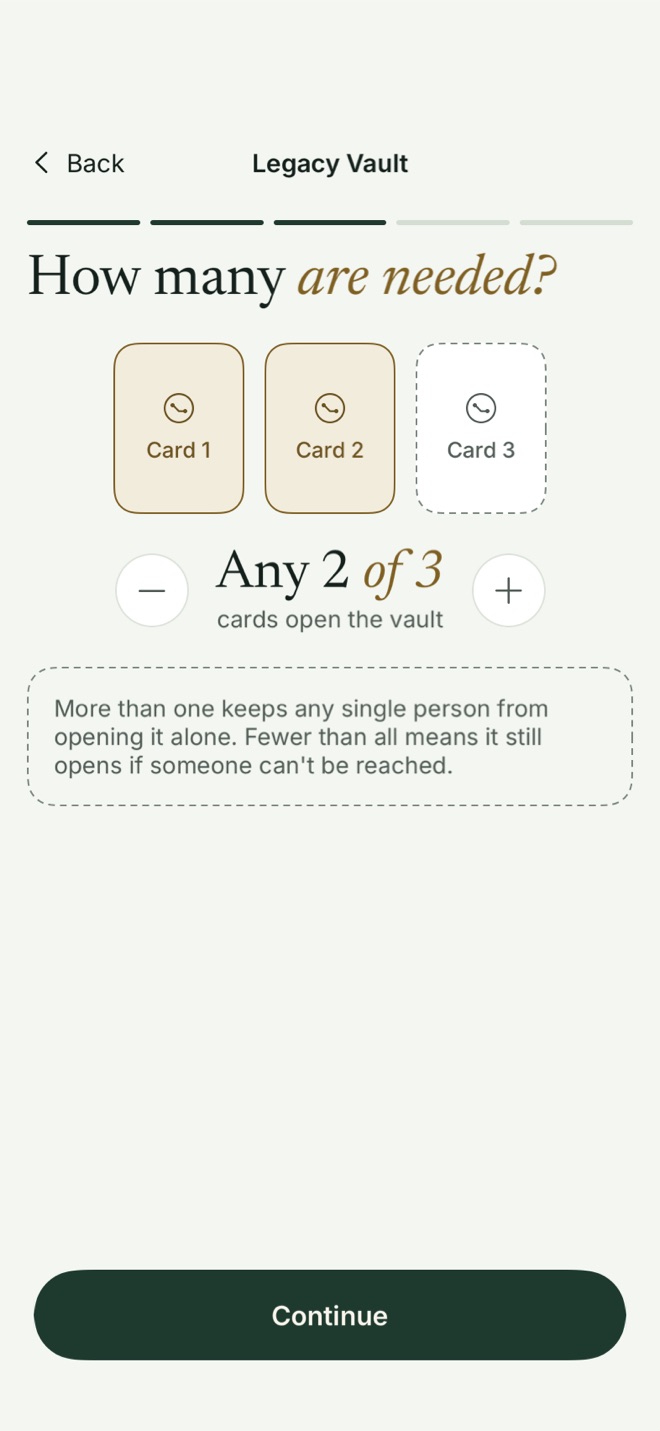
Setting up a Legacy Vault needs Bunker Pro. Being a trusted contact is free, and so is opening a Legacy Vault.
The honest limit
Bunker can’t know whether you have died. In this version, enough trusted contacts acting together can open the vault at any time, including while you’re alive. When they do, Bunker usually lets your devices know afterwards, but that notice is best-effort, not a veto. So choose people you’d trust with that vault today. A waiting period that would let you stop an opening is planned; it isn’t in the app yet.
If you change who holds cards or how many are needed, Bunker issues a new set and the old cards stop working. People who already opened the vault keep what they downloaded.
Apple Legacy Contact, alongside it
Apple’s Legacy Contact lets someone you choose request your iCloud data after your death, with an access key and a death certificate. It’s worth setting up, and Bunker suggests it after you set up a Legacy Vault. The two cover different things: Apple’s covers your Apple Account, and a Bunker vault stays encrypted inside it. A Legacy Vault covers the vault you choose.
Legacy Vaults help the people you trust reach your information. They are not a will and don’t make legal decisions. The guides below are general information, not legal advice; for a will or an estate plan, talk to a lawyer.
What happens to your photos when you die
Where your iPhone photos go after you die, what Apple can hand over, and the three things to set up now.
How to give your family access to your iPhone
The passcode, the Apple Account and the apps with their own locks: what your family needs, and how to leave it safely.
Apple Legacy Contact: what it covers and what it doesn't
The exact setup path, what your Legacy Contact can reach after your death, and the gaps you need to fill another way.
Digital estate planning checklist (printable)
Every digital thing your family may need, in one printable list, with how to pass each one on.
Where to keep your will and important documents
Originals in one known place, scans in one encrypted place, and a note that says where both are.
How to pass on crypto wallet recovery details safely
Seed phrases, passphrases and instructions: the safe ways to leave them, and the mistakes that lose the funds.
Password manager emergency access compared
How 1Password, Bitwarden and Apple Passwords let someone in if you can't, checked against each one's own help pages.
What to put in an "if something happens to me" folder
The folder your family opens first: what goes in it, what stays out, and where to keep it.