Search inside your vault
Search in Bunker finds items in the open vault by their name, the text of your notes, the text in your scans and PDFs, and text that appears in your photos and screenshots. Everything it searches is read on your device and stored inside the vault’s encryption, never in Spotlight or any system index.
How it works
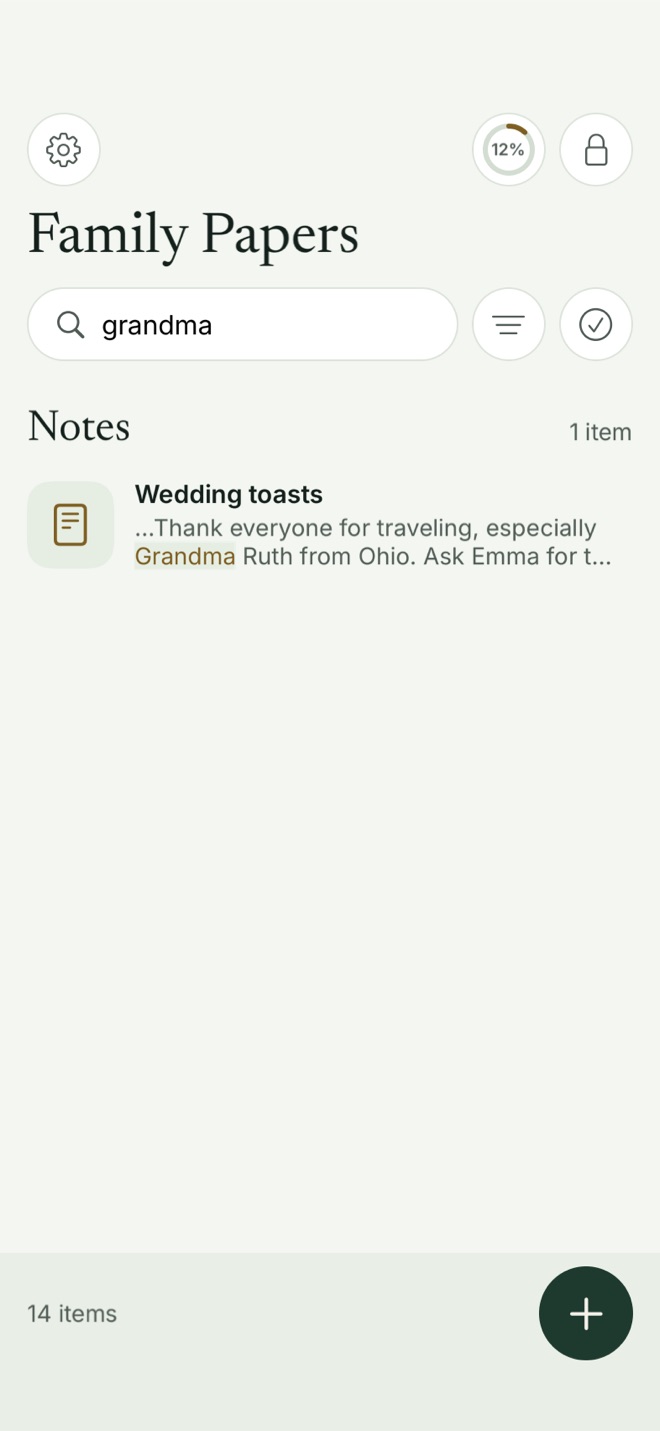
Tap the search bar under the vault’s name (or press ⌘F on an iPad keyboard or a Mac) and type. Results are grouped by type, such as Photos, Documents and Notes, with the matching words highlighted in context.
What it searches:
- Names of photos, videos, documents and notes.
- Note text, all of it, not just the title.
- Scanned documents. Scan & Search reads the text of every page you scan.
- Imported PDFs, through their own text layer.
- Text in photos and screenshots, read on your device in the background after you add them.
- Document types you tagged when scanning, such as Passport or Insurance.
Text recognition uses Apple’s Vision framework on your iPhone, iPad or Mac. Nothing is uploaded to be read.
The search index is part of the vault’s encrypted index, so it’s protected by the same keys as the items themselves. When the vault locks, the index is locked too. Bunker also keeps vault content out of the system’s own features: no Spotlight entries, no Siri suggestions, no Handoff, and Live Text and Visual Look Up are off in the viewer, which uses Bunker’s own text recognition instead.
Getting good results
- Rename scans and imports with words you’d search for. “Passport, Sarah, 2031” beats “Scan Mar 14, 2031”.
- Tag scans by type, so a filter finds every insurance card at once.
- Put key details in a note. A note saying “Home insurance policy 4471, renewal in March” is easier to find than a number buried on page 3.
Narrowing results
Search works together with the filter chips under the search bar (All, Photos, Videos, Documents, Notes and Scans) and with Sort & Filter. To find Sarah’s passport scan among hundreds of photos, choose Scans first, then type “passport”.
What it protects against
- Your private text showing up in Spotlight, Siri suggestions or search on another device.
- Sending your documents to an online service to make them searchable.
What it doesn’t protect against
- Someone who opens the vault. Search makes a vault easier to look through, for them as well as for you.
- Missed text. Handwriting, low light, unusual fonts and tiny print in photos can be read wrongly or not at all. Text in photos is read from a reduced-size copy, so fine print is the most likely to be missed.
- Other vaults. This is a choice, not a gap: a search across every vault would need the app to know which vaults exist.
Free or Pro
Search is free on every plan, including text read from scans and photos.
Related
- Scan & Search document scanner.
- Hidden Vaults: why search stays inside one vault.
- Pattern Encryption: the keys that protect the search index.
- Bunker on Mac, with keyboard shortcuts for search.
Questions
Does Bunker add my vault to Spotlight or Siri?
No. The search index lives inside the vault's encrypted index. Nothing from a vault is given to Spotlight, Siri suggestions or any system index.
Can I search all my vaults at once?
No. Search covers the vault that's open. Bunker can't see into other vaults, which is what keeps them hidden.
Can it find text in a photo or screenshot?
Yes, usually. Bunker reads text from photos and screenshots on your device when you add them. Very small print may be missed, because it reads from a reduced-size copy.