Bunker on Mac
Bunker on Mac is a native Mac app with the same vaults, Patterns and encryption as Bunker on iPhone and iPad, and it comes with the same purchase. It adds what a Mac is good at: a keyboard, drag and drop from Finder, and larger windows for your photos and documents.
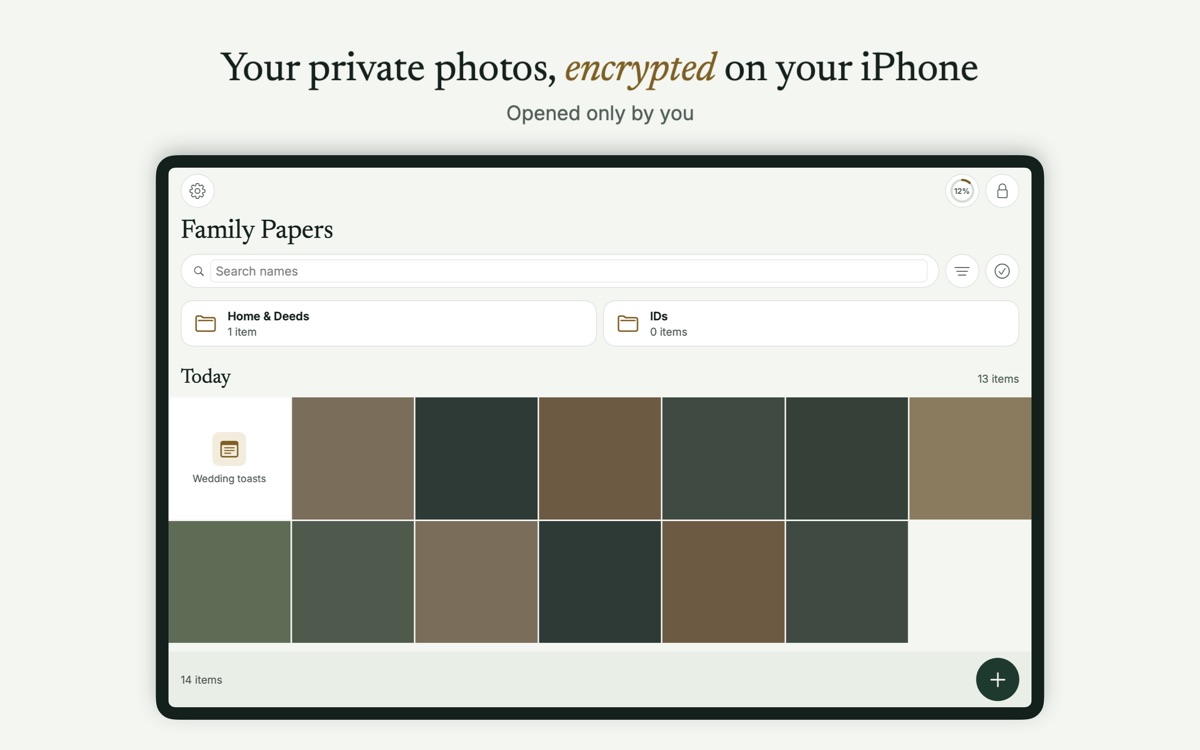
What’s the same
- Pattern Encryption. The same 5 × 5 dial, drawn by clicking and dragging with a mouse or trackpad, and the same Argon2id keys. See Pattern Encryption.
- Hidden Vaults, each with its own Pattern and no list anywhere.
- The Recovery Phrase, and restoring from Encrypted Backup.
- Search and Scan & Search, with text read on the Mac.
- Duress Vault, Vault Sharing and Legacy Vaults with Bunker Pro, including printing Legacy Cards.
- Sync with your iPhone and iPad through your own iCloud, with Bunker Pro.
It’s one App Store purchase: Bunker Pro or a Family Plan bought on your iPhone also unlocks on your Mac.
What’s Mac-specific
Unlocking. The unlock screen has a visible Use Passphrase button, because typing is often easier than drawing on a Mac. Add a Passphrase in Vault Settings → Also Unlock With a Passphrase. There’s no Touch ID: in this version, a vault opens only with its Pattern, Passphrase or Recovery Phrase.
Locking. A vault locks when the screen locks, when the Mac sleeps, when you switch to another user, and after 5 minutes without any input, as well as when you leave the app (App Settings → Privacy → Lock When Leaving). With a delay chosen, it still locks when the time is up, even if you don’t come back, and while another app is in front Bunker’s window is covered. Press ⌘L to lock at once. One vault is open at a time; opening another locks the first.
Keyboard shortcuts.
| Keys | Does |
|---|---|
| ⌘L | Lock |
| ⌘F | Search |
| ⌘N | Add items |
| ⌘⇧N | New folder |
| ← → | Previous and next item in the viewer |
| Space | Play or pause in the slideshow |
| Esc | Close the viewer |
Files. Drag files from Finder into an open vault to add them. Export to Finder through the export sheet, where “Remove location and camera details” applies.
Scanning. The Mac has no Secure Camera. Scan documents with Continuity Camera instead: File → Import from iPhone or iPad → Scan Documents, using a nearby iPhone or iPad.
Screen capture. Bunker’s windows always ask macOS to leave them out of screenshots, recordings and screen sharing; there’s no setting to turn this off. Some capture tools ignore that request.
Leaving no traces. Vault content isn’t added to Recent Items or Spotlight. Previews open inside Bunker, and temporary files go to a folder that’s excluded from backups and indexing, then deleted.
Moving. Vault Settings → Encrypted Backup → Moving to a New Mac? shows the same checklist as on iPhone.
Turn on FileVault
iPhones and iPads encrypt each app’s files with keys tied to your passcode. Macs don’t apply those per-file protections. Bunker’s stored vaults are encrypted by Bunker either way, but the short-lived files it decrypts for a preview or an export rely on your Mac’s disk encryption while they exist. Turn on FileVault in System Settings → Privacy & Security → FileVault (macOS 15 and later).
What it protects against
- Someone using your Mac while you’re away: vaults lock with the screen, on sleep and after 5 minutes idle.
- Vault content leaking into Spotlight, Recent Items or Time Machine.
- Casual screenshots and screen sharing of a vault window, where macOS honors the request.
What it doesn’t protect against
- Capture tools that ignore macOS’s request, or a phone camera pointed at the screen.
- A Mac without FileVault, while a preview or export file exists.
- Malware or an administrator account you don’t control. Someone with that level of access to a Mac can watch what you type and see.
- Alternate App Icons. They’re iPhone and iPad only.
Related
- Device sync between your Mac, iPhone and iPad.
- Scan & Search with Continuity Camera.
- Encrypted Backup.
- How Bunker protects you.
Questions
Do I have to buy Bunker again for the Mac?
No. It's one purchase across iPhone, iPad and Mac. Bunker Pro unlocks on every device signed in to the same Apple Account.
How do I draw a Pattern with a mouse?
Click and drag across the dots, with a mouse or a trackpad. You can also add a typed Passphrase to a vault and use the Use Passphrase button on the Mac's unlock screen.
Can I open a vault in Finder?
Not in this version. You drag files in from Finder and export them out. Mounting a vault in Finder is planned for a later version.
Which macOS versions are supported?
macOS 15 Sequoia and later.