Duress Vault
A Duress Vault is a vault you open when someone forces you to open Bunker. It opens like any other vault, and as it does, it quietly removes your other vaults from this device; your iCloud backup still keeps them, and each comes back later with its Recovery Phrase.
How it works
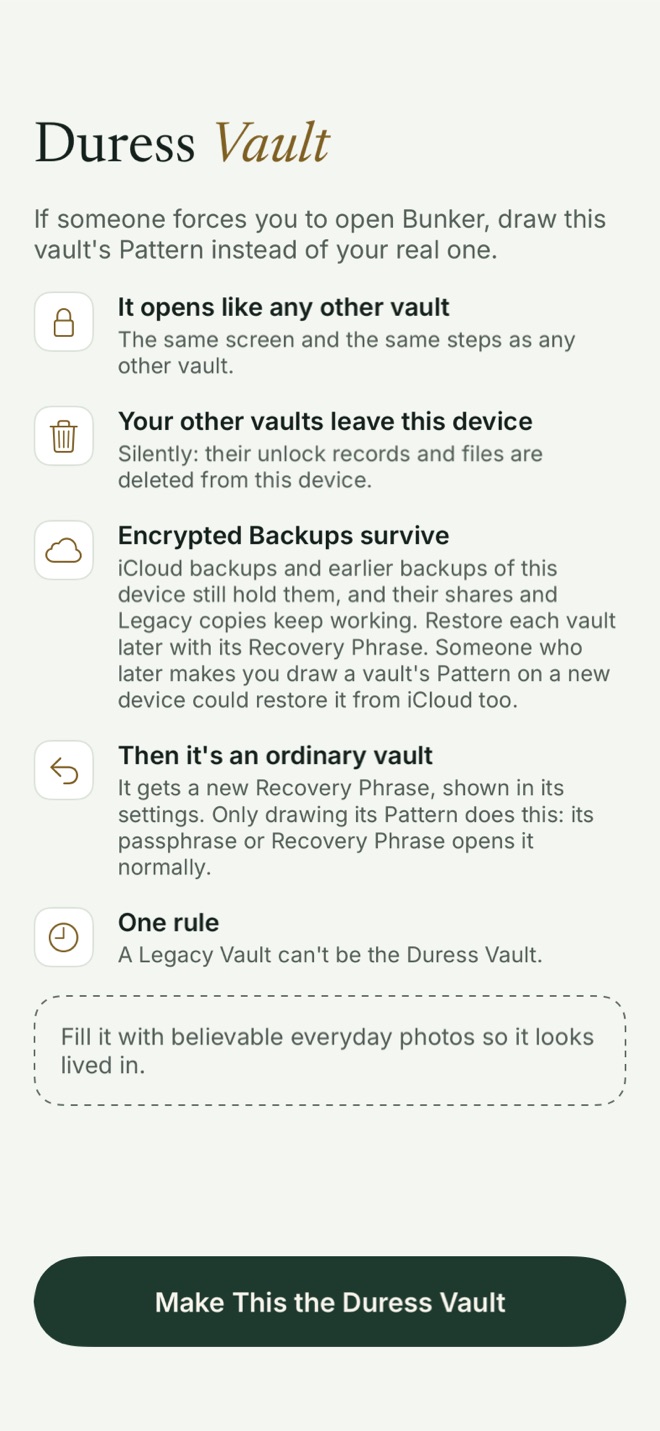
Choose a vault to be the decoy, open it, and go to Vault Settings → Duress → Make This the Duress Vault. Bunker asks you to draw that vault’s Pattern again and shows a page explaining exactly what will happen. The setting is stored inside the vault’s own encrypted record, so nothing outside the vault shows it’s a Duress Vault.
When you later draw its Pattern on the unlock screen:
- It opens normally, with the same Opening animation and steps as any vault.
- Behind the vault screen, Bunker overwrites the other vaults’ unlock records with random bytes and deletes their encrypted files from this device. The app’s storage then matches the one vault that’s left.
- The Duress Vault gets a new Recovery Phrase, which you can see later in its settings, and becomes an ordinary vault. To use it as a Duress Vault again, turn the setting back on.
- Anonymous analytics, if you turned them on, stop for the rest of that session.
Some things deliberately don’t change, because changing them would show: the Duress Vault keeps syncing (it only ever synced its own items) and its shares stay live (they only hold its own content). A Legacy Vault can’t be the Duress Vault.
Fill it so it looks lived in
A Duress Vault with three photos is not convincing. Put ordinary things in it: everyday photos, a few documents, a note or two. Use it now and then so its dates look natural.
Getting your other vaults back
After a duress open, each other vault comes back from your Encrypted Backup with its own Recovery Phrase: on the unlock screen, choose Open a Shared or Legacy Vault → My Vault From iCloud. Drawing a Pattern alone isn’t enough on that device any more, because Bunker only looks in iCloud for a Pattern while the device has nothing stored. On a fresh install, a vault’s Pattern restores it from iCloud.
This is why the backup matters. A vault with backup turned off, and no copy on another device or in a computer backup, is gone for good after a duress open.
What it protects against
- Being made to open Bunker in front of someone, on this device. They see one ordinary vault, and the app’s storage no longer holds the others.
What it doesn’t protect against
- Your iCloud backup. It’s untouched on purpose. Someone who can later make you draw a vault’s Pattern on a fresh install, signed in to your Apple Account, can restore it from iCloud.
- Your other devices. If the same vaults are on your iPad or Mac, they’re still there.
- Earlier device backups. An older iCloud or computer backup of this phone still holds the other vaults’ records.
- Forensic recovery. Deleted data on flash storage may be recoverable by specialist tools.
- Someone who knows how Duress Vaults work and asks you about other vaults, other devices or your iCloud account. Bunker can make the phone look ordinary; it can’t answer questions for you.
- A compromised device, or someone who saw you draw your real Pattern.
If your situation means iCloud copies are a risk, turn off Encrypted Backup for those vaults and accept that a duress open, a lost phone or a broken phone then loses them. That’s a real trade-off, and only you can weigh it.
Free or Pro
The Duress Vault is part of Bunker Pro. If your subscription ends, a vault you’ve already made a Duress Vault stays one; turning it off silently could put you at risk.
Related
- Hidden Vaults: how multiple vaults stay unlisted.
- Encrypted Backup: where the cleared vaults come back from.
- Pattern Encryption: Patterns, the Passphrase and the Recovery Phrase.
- How Bunker protects you: the full threat model.
Questions
Does a Duress Vault delete my iCloud backups?
No. It clears the other vaults from this device only. Your Encrypted Backup in iCloud, your other devices and earlier device backups still hold them, and each comes back with its Recovery Phrase.
Will the person watching see that something was deleted?
The Duress Vault opens with the same screen, animation and steps as any other vault, and the clean-up runs silently behind it. Bunker doesn't show any message about it.
Does opening it with the Passphrase or Recovery Phrase trigger it?
No. Only drawing the Duress Vault's Pattern does. Its Passphrase or Recovery Phrase opens it as an ordinary vault.
Can I have more than one?
We recommend one. Bunker can't see other vaults' settings, so it can't stop you making two, but opening either would clear all the others, including the other Duress Vault.